7 Best Personal Branding Tools for Coaches and Consultants in 2026

Building a strong personal brand is no longer optional in 2026. With 96% of high-ticket clients researching coaches online before booking, your online presence can make or break your business. The good news? AI-powered tools can help you create consistent, high-quality content and manage your brand without spending hours every week.
Here’s a quick rundown of the top tools to simplify personal branding for coaches and consultants:
- Brandbase: A done-for-you branding system with AI assistants, PR placements, and custom landing pages.
- Canva: A design tool with AI features like Magic Studio for creating professional visuals and content.
- Paperbell: A platform to manage client workflows, including scheduling, payments, and contracts.
- ChatGPT: An AI writing assistant for content creation, from social posts to newsletters.
- Evernote: A knowledge management tool with AI for meeting notes, content organization, and task automation.
- Grammarly: A writing assistant to refine your tone, grammar, and style across all communications.
- Notion: An all-in-one workspace for client management, content creation, and AI automation.
These tools can save you time, improve your efficiency, and help you stand out in a competitive market. Whether you need help with content creation, design, or client management, there’s a tool for you.
Quick Comparison
| Tool | Main Features | Pricing (Monthly) |
|---|---|---|
| Brandbase | AI branding system, PR placements | $18–$499 + $499 setup fee |
| Canva | AI design tools, content scheduler | Free–$15 (Pro) |
| Paperbell | Client workflow management | $57 |
| ChatGPT | AI writing assistant | Free–$20 |
| Evernote | AI meeting notes, content organization | Free–Paid plans available |
| Grammarly | Writing refinement, tone suggestions | Free–$12 (Pro) |
| Notion | Client management, AI automation | Free–$20 |
With the coaching industry projected to hit $5.8 billion in 2026, using these tools can give you a clear edge. Pick one or two tools that align with your biggest challenges - whether it’s creating content, managing clients, or designing materials - and start building your brand today.
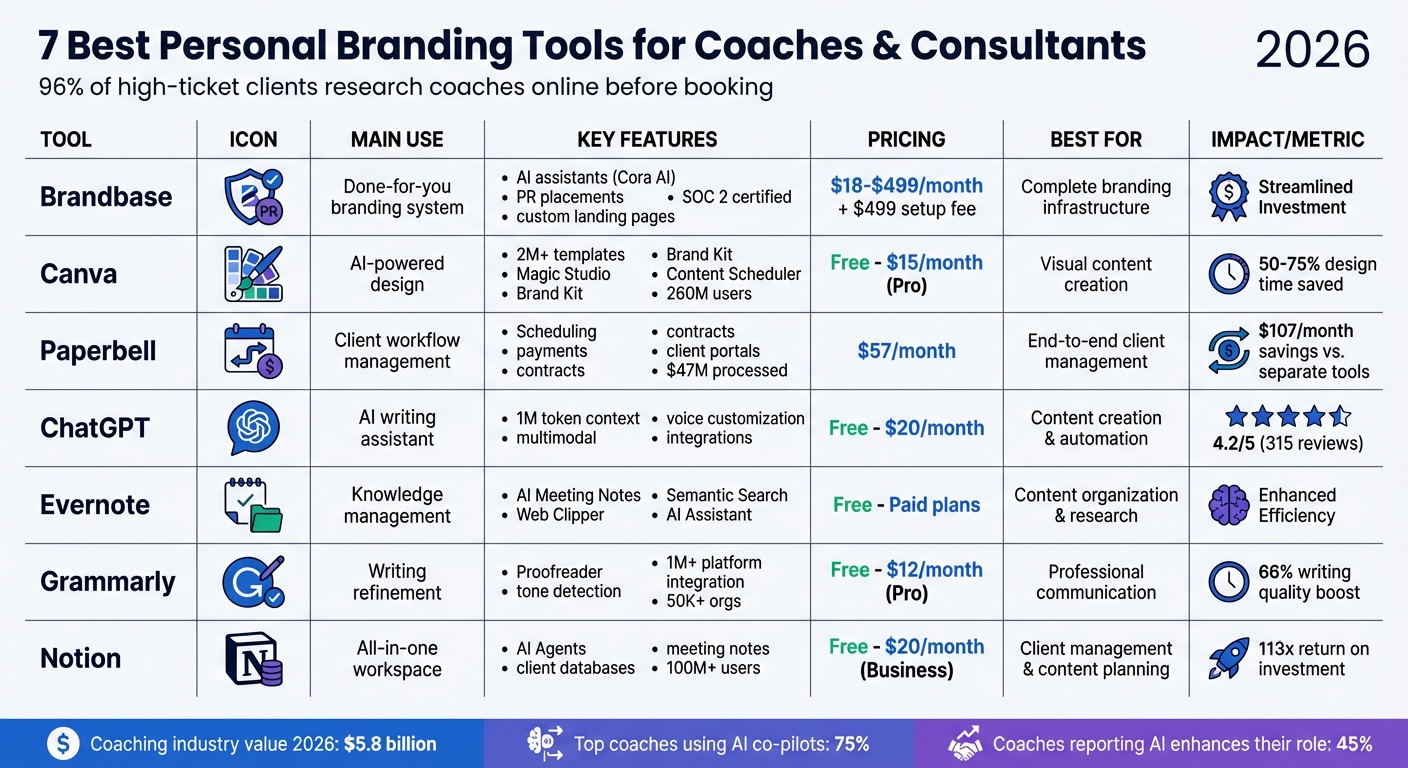
Personal Branding Tools Comparison: Features and Pricing for Coaches 2026
Still No Clients? Here’s How to Market Yourself as a Coach
sbb-itb-f7e72a6
1. Brandbase
Brandbase simplifies the process of building a brand by conducting a 60-minute interview to capture your voice, expertise, and approach. From there, the platform creates landing pages, AI assistants, PR strategies, and content - all delivered within seven days [6].
AI and Automation Capabilities
At the core of Brandbase is its proprietary Cora AI, a versatile assistant designed to work with your content. Cora AI is split into two key functionalities:
- Cora Content: Works around the clock to answer questions, qualify leads, and schedule calls directly into your calendar.
- Cora Client: Offers your clients instant access to your coaching framework, helping them stay engaged between sessions.
Cora AI pulls from your existing content - whether blogs, videos, or PDFs - to ensure consistent brand messaging. The platform is also SOC 2 certified, with HIPAA-ready configurations available for health and wellness professionals [10,11].
Features Tailored for Coaches and Consultants
Brandbase delivers a "done-for-you infrastructure", providing a complete branding system that includes landing pages, PR placements, and AI tools. This setup is typically completed within 4 to 6 weeks [5].
The platform offers two levels of PR support:
- Essential Plan: Includes one PR placement every six months.
- Pro Plan: Provides six placements per year to help you build authority in your niche.
Brandbase handles the entire PR process, from pitching to publication, saving you time and effort. The interview-based setup ensures your brand maintains a personal, non-generic tone. Many users report seeing better visibility and higher-quality leads within just three months [5].
Pricing and Affordability
Brandbase offers flexible plans to suit different needs, all of which come with a $499 one-time setup fee:
- Starter: $18/month for a landing page transfer.
- Essential: $99/month for hosting, unlimited edits, a custom AI assistant, and PR placements twice a year.
- Pro: $499/month for unlimited landing pages, LinkedIn lead generation, and nine SEO-optimized blog posts each month.
There are no contracts, so you can pause or cancel your monthly management plan at any time.
2. Canva
Canva has become a go-to tool for professionals, boasting an impressive 260 million monthly users as of 2026. Its appeal lies in accessibility and versatility, offering over 2 million free templates for everything from social media posts to presentations and documents. This makes it easy to maintain a polished and consistent brand presence, no matter your industry [4]. Here's how Canva's AI features can elevate your branding game.
AI and Automation Capabilities
Canva's Magic Studio suite is where its AI truly shines. Tools like Magic Design can create entire presentation decks from a single text prompt, while Magic Write provides AI-driven copywriting directly within your designs [7]. The Brand Kit Integration takes it a step further, applying your brand's fonts, colors, and tone automatically to any AI-generated design [7].
You can engage Canva's AI through voice, text, or even image uploads. Its Content Scheduler simplifies your workflow by allowing you to post directly to social media platforms without needing a separate scheduling tool [4]. For those looking to add interactive elements to their online presence, Canva Code lets you create website widgets like ROI calculators or diagnostic tools, perfect for lead generation [7].
Features Tailored for Coaches and Consultants
Canva's AI tools are a game-changer for coaches and consultants aiming to build a cohesive personal brand. With Magic Resize, you can instantly adapt a single design for multiple platforms - turning, for instance, a LinkedIn post into an Instagram Story in just one click. Users have reported saving 50% to 75% of their design time compared to traditional software [4]. Beyond social media, Canva simplifies the creation of strategy documents, workshop presentations, and brainstorming whiteboards, all within the same platform.
"For consultants and coaches who need professional looking visuals but don't have a design background (or budget for a designer), Canva is the answer." - Ken Marshall, Co-Founder, Meet Sona [4]
Pricing and Affordability
Canva offers a Free version with limited AI tools, while its Pro plan costs $15 per month for individuals. The Pro plan unlocks full access to Magic Studio, the Brand Kit, and the Content Scheduler, along with 100GB of storage and access to over 100 million premium photos, videos, graphics, and audio tracks [4][8]. For teams, pricing varies based on added features and controls [7]. Nonprofits can take advantage of Pro features for free, supporting teams of up to 50 users [9].
3. Paperbell
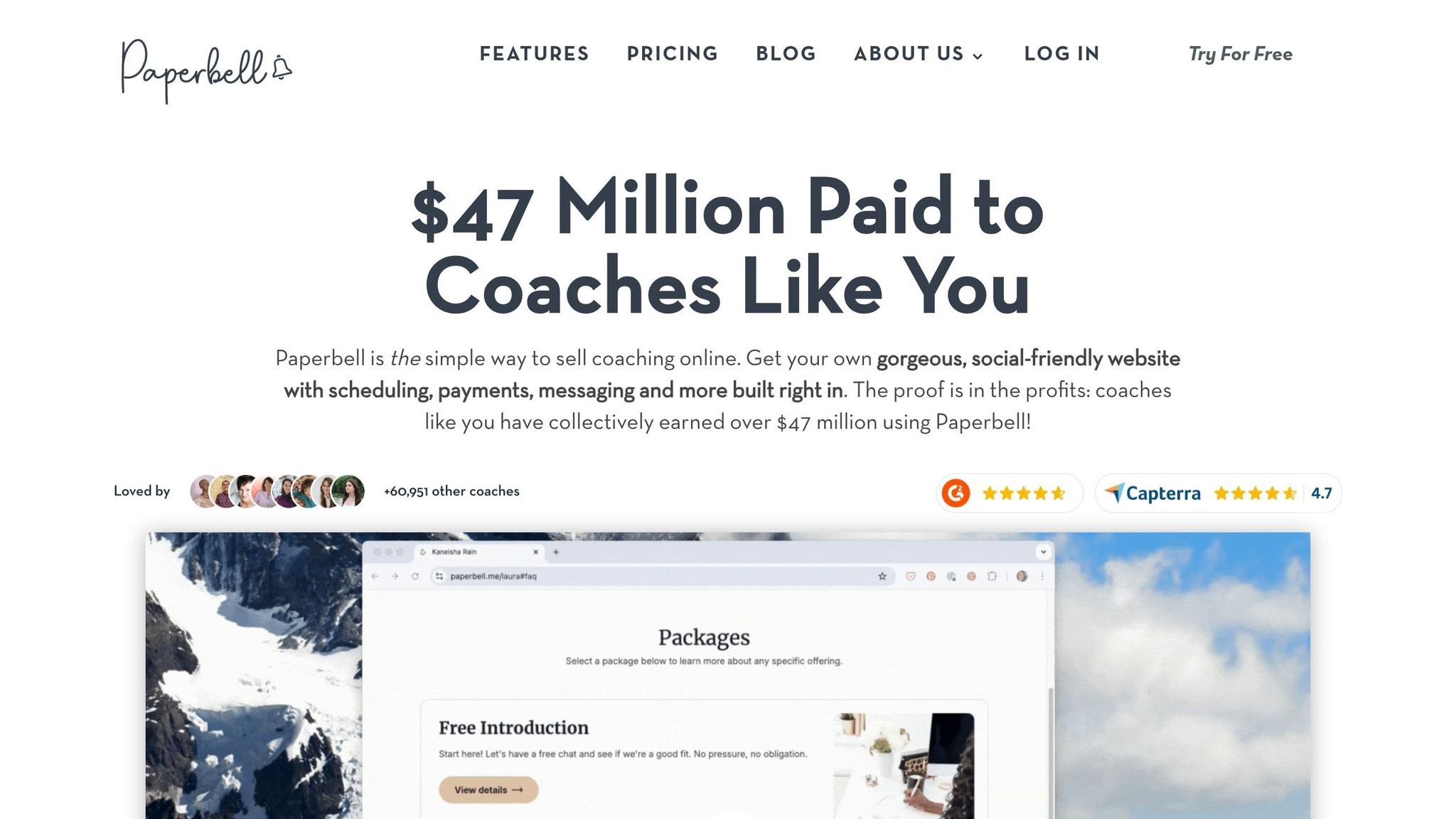
Paperbell is designed specifically for coaches and consultants, offering a solution to simplify and manage their entire client workflow. By 2026, the platform had processed $47 million in payments for coaches and supported over 209,423 coaching sessions for more than 103,245 clients across the globe [12]. Unlike generic scheduling tools, Paperbell integrates all aspects of the client journey into a single platform.
Features Designed for Coaches and Consultants
Paperbell combines multiple tools into one system, handling website building, scheduling, payment processing, contract management, and client portals. When a client purchases a coaching package, the platform takes care of payment processing, e-signature contracts, and session scheduling automatically [11]. Through the client portal, clients can access files, review appointment history, and book follow-up sessions independently [12].
The platform also offers multi-session tracking, making it easier to manage coaching programs. Coaches can oversee group sessions, set up subscription-based retainers, and create tailored intake surveys to prepare for each meeting [11]. Additionally, Paperbell provides automated email sequences for reminders, post-session follow-ups, and re-engagement messages for inactive clients [10].
"I cut costs by paying one flat fee for CRM, booking, payment processing, and contract signing and booting all the other platforms!"
– Laura, Intuitive Coach [13]
Boosting Your Brand and Attracting Clients
Beyond simplifying operations, Paperbell helps enhance your professional image. Every coaching package automatically comes with a branded landing page, allowing you to showcase your services with custom colors and photography [11]. This seamless, one-click purchase-to-scheduling process minimizes friction and builds trust. You can also personalize seven key aspects - shop pages, package landing pages, automated emails, surveys, files, terms and conditions, and contracts - to reflect your unique style and approach throughout the client experience [10].
Pricing and Cost Efficiency
Paperbell is priced at $57 per month or $570 annually, with two months free [12]. All plans include unlimited clients, unlimited sessions, and no additional transaction fees beyond standard processor rates [12]. A free account is available for testing, no credit card required [13]. When compared to using separate tools - which often totals around $164 per month - Paperbell can save coaches approximately $107 each month.
4. ChatGPT
ChatGPT has become a go-to tool for coaches and consultants aiming to speed up content creation. By 2026, the platform evolved into a multimodal powerhouse, handling everything from LinkedIn posts to podcast scripts - all accessible on a free tier [16].
AI and Automation Capabilities
With its 1 million token context window, ChatGPT can process entire courses, months of client transcripts, or even full-length books in a single session [16]. It also integrates with tools like Gmail and Calendar, streamlining lead follow-ups and call scheduling [16].
Entrepreneur Sam Parr, co-host of My First Million, showcased ChatGPT’s potential in 2025 and 2026 by turning it into a virtual executive coach. He used a four-step framework with defined data inputs and clear instructions, transforming ChatGPT into a 24/7 advisor for decision-making and health optimization. Parr described the experience:
"Think of all the decisions you make in a day. Now imagine having a thought partner who knows your strengths, blindspots, and goals – ready to help you think clearer and move faster" [14].
This adaptability has made ChatGPT a key tool for personalized branding, especially for coaches and consultants.
Features Tailored for Coaches and Consultants
The Personal Branding Coach GPT is a specialized agent designed to help professionals build their online presence. It provides customized action plans and insights tailored to specific niches [15]. Users can define tones like Professional, Candid, or Quirky, and upload writing samples to ensure the AI mirrors their voice [1]. Additionally, its built-in image generation creates branded social media visuals without requiring extra design tools [16].
However, there is one notable limitation: ChatGPT resets at the start of each session and doesn’t retain your writing style over time [1]. As Sadok Hasan, Founder of Bloomberry, points out:
"ChatGPT and Claude reset every session. Custom instructions help, but they can't replicate the depth of analysis that comes from studying your full body of work" [1].
To keep your brand consistent, it’s essential to have a style guide ready and reintroduce it at the start of each session. Despite this, ChatGPT remains a valuable tool for streamlining content creation and managing tasks.
Pricing and Affordability
ChatGPT offers a free tier with basic features, making it a cost-effective option [16]. Paid plans start at $20 per month, providing higher usage limits and advanced tools. This pricing is far lower than many personal branding tools, which often range between $50 and $110 per month [3]. User reviews reflect its value, with a 4.2 out of 5 rating from 315 reviewers who praise its ability to explain data trends and perform statistical analysis [16].
Impact on Personal Branding and Client Acquisition
By 2026, 96% of high-ticket clients researched coaches on platforms like LinkedIn, Instagram, and YouTube before scheduling a discovery call [2]. ChatGPT significantly reduces editing time, cutting it from 45 minutes to just 5 minutes [1]. That said, AI-generated drafts often require refinement to ensure they align with your unique voice and don’t come across as generic. For professionals with a strong personal brand, the payoff is clear - those with an established brand receive five times more inbound opportunities than their counterparts, emphasizing the importance of customizing ChatGPT’s output [3].
5. Evernote
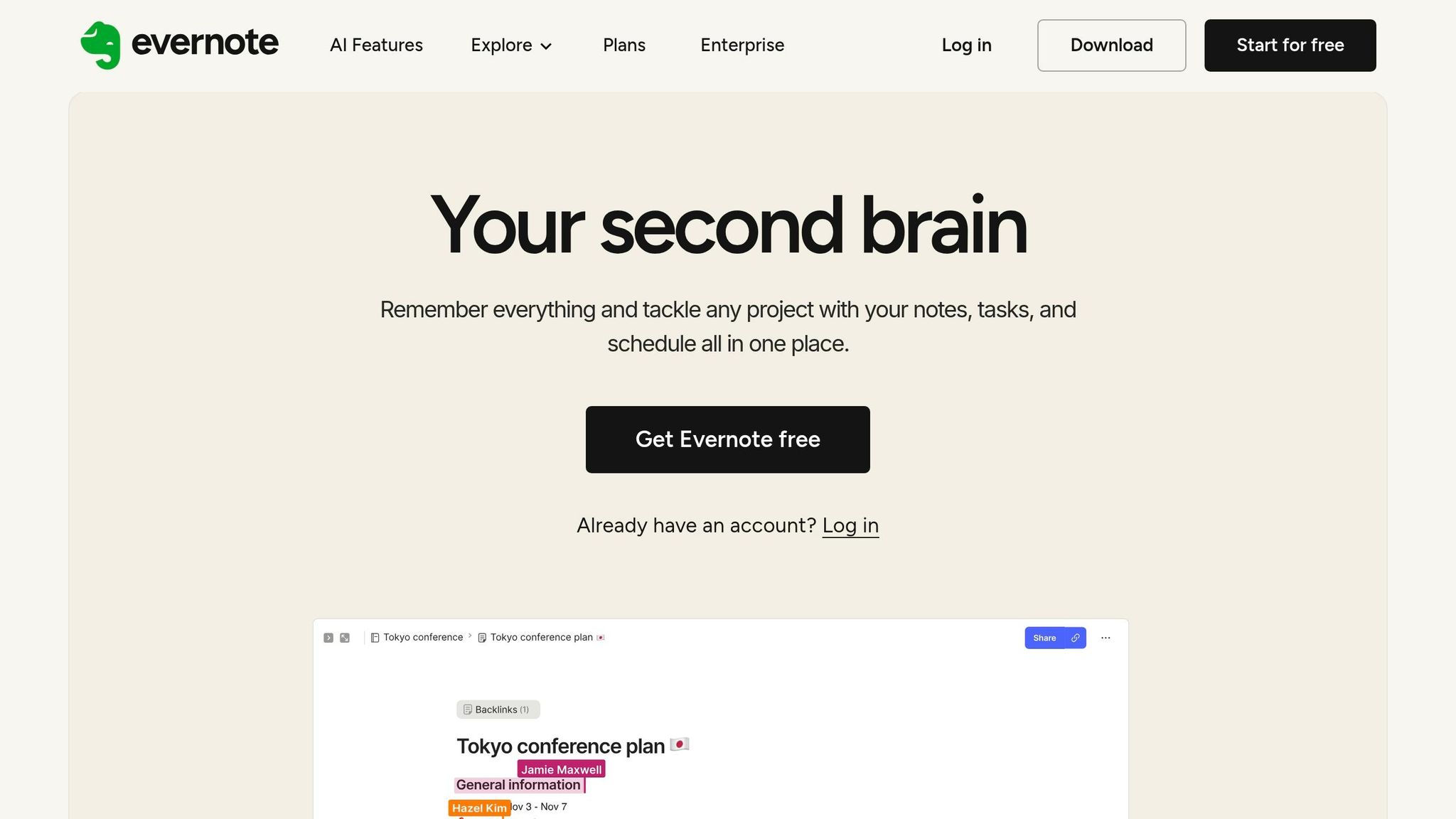
Evernote has grown into a robust knowledge management tool tailored for coaches and consultants. By 2026, it incorporated advanced AI features developed in collaboration with OpenAI, revolutionizing how professionals capture, organize, and repurpose ideas seamlessly within their workspace [17]. These updates create a smooth, focused environment for managing content effectively.
AI and Automation Capabilities
Evernote’s AI Meeting Notes feature takes care of recording, transcribing, and summarizing client sessions automatically. This allows coaches to stay fully engaged during discussions while ensuring detailed records are preserved [17][19]. The Semantic Search function enables users to retrieve specific information using natural language. For example, asking, “What were Sarah’s main challenges in her last sessions?” instantly pulls up the relevant notes [17].
The platform also includes an AI Assistant, a chat-based tool that organizes notes, handles tasks, and creates content. Importantly, it’s designed with privacy at its core - it doesn’t use your data to train external AI models. This is particularly crucial for maintaining confidentiality when working with sensitive client information [17].
Features Designed for Coaches and Consultants
The Web Clipper simplifies saving articles, competitor research, and online inspiration directly into structured notebooks. From there, the AI Assistant can help turn those clips into drafts for LinkedIn posts or newsletters - all without switching apps [17]. Additionally, pre-built templates for session notes, project plans, and content outlines ensure a polished, professional appearance.
Integrated task and calendar tools connect scheduled events with specific notes and action items, making it easier to manage client sessions and branding projects. Plus, all AI-generated notes and content sync automatically across desktop and mobile devices, keeping everything accessible wherever you work.
Pricing and Accessibility
Evernote provides access to key features like AI Meeting Notes, Semantic Search, and the AI Assistant to all users [17]. While monthly and per-chat usage limits apply to the AI Assistant, there’s also a free version available that lets users explore the platform’s organizational tools and AI capabilities before upgrading to a paid plan.
Boosting Personal Branding and Client Acquisition
With Evernote V11, coaches can centralize idea generation, research, and content creation in one place [17][1]. Instead of juggling multiple tools for tasks like recording, transcription, and summarization, everything can be handled directly within the Evernote workspace [17][19]. Coaches can even store writing samples and brand guidelines in the app, making it easier to prompt the AI Assistant to create content aligned with their style [17][1]. This unified approach not only simplifies workflows but also ensures consistent, high-quality output - key to building trust and attracting the right clients. Evernote helps you stay productive while reinforcing a strong and cohesive personal brand.
6. Grammarly
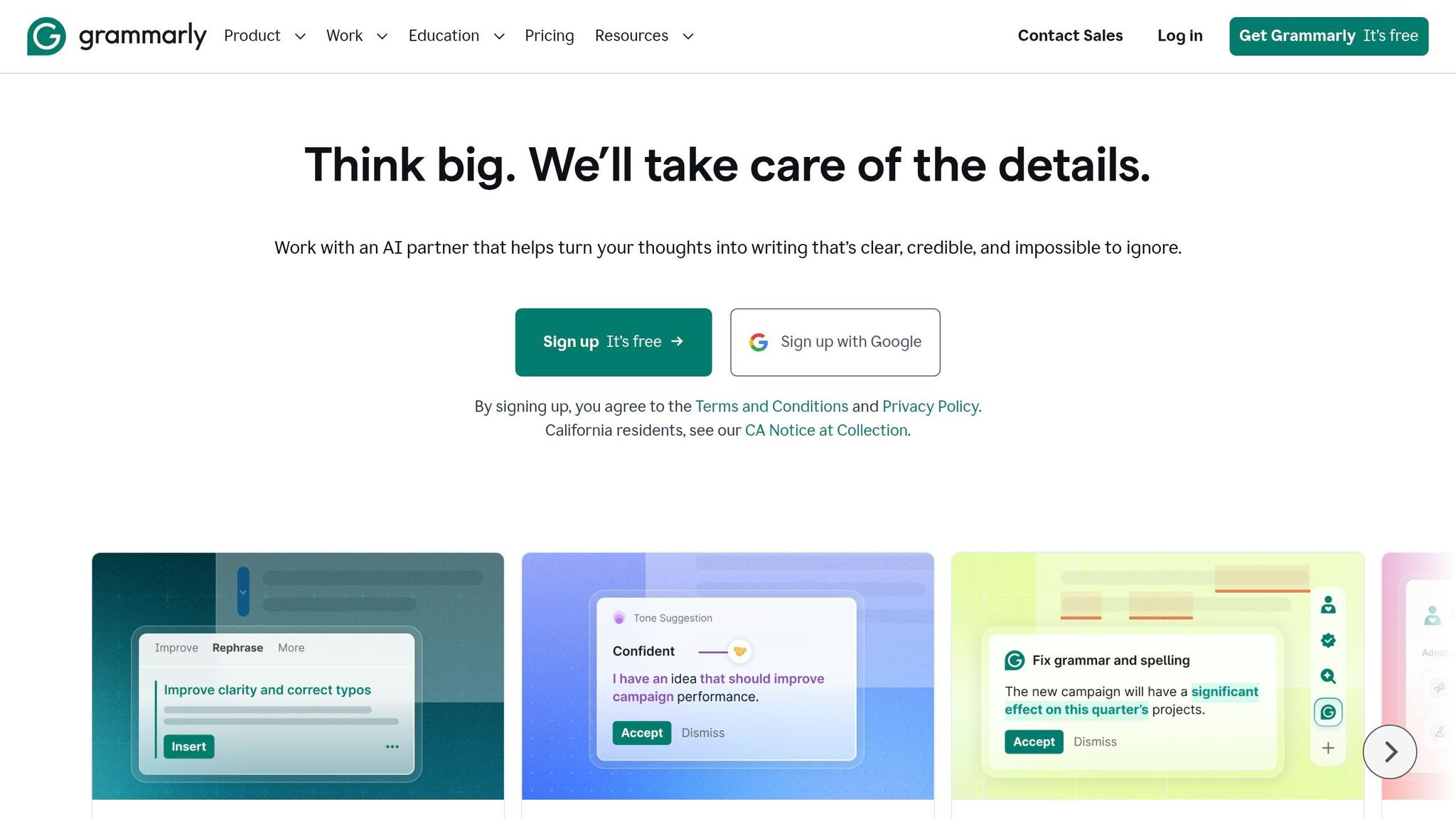
By 2026, Grammarly has become an indispensable AI-powered writing assistant, trusted by over 50,000 organizations and 40 million users worldwide [21]. It ensures that coaches and consultants maintain a professional and polished tone across all their communications.
AI and Automation Capabilities
Grammarly’s AI tools are tailored for specific writing tasks, making it a versatile partner. The Proofreader enhances structure and phrasing, while the Paraphraser ensures your content aligns with your brand’s voice. For those refining AI-generated drafts, the Humanizer makes the text sound natural and engaging [32, 34]. Another standout tool, the Reader Reactions agent, predicts how your audience might interpret your message, allowing for adjustments before sending. Additionally, Grammarly Go integrates across various apps, helping you summarize lengthy email chains and craft context-aware replies.
Features Tailored for Coaches and Consultants
Grammarly’s reach spans over 1 million platforms, including LinkedIn, Gmail, Slack, and Microsoft Word. This ensures that your brand voice stays consistent wherever you work. For content creation, Grammarly Docs offers a dedicated space to brainstorm, outline, and refine ideas with real-time AI assistance. Its tone suggestions help you strike the right balance, whether you’re aiming to be persuasive, approachable, or strictly professional. A built-in brand style guide ensures uniform terminology across all communications. Multilingual support for English, Spanish, French, German, Portuguese, and Italian further enables seamless interaction with global clients [32, 33, 34]. These features are coupled with an accessible pricing structure, catering to both individuals and organizations.
Pricing and Affordability
Grammarly provides three pricing options:
- Free Plan: Includes basic writing suggestions, tone detection, and 100 AI prompts at no cost.
- Pro Plan: Priced at $12 per member per month (billed annually) or $30 monthly, it includes advanced features like full-sentence rewrites, tone adjustments, and 2,000 AI prompts.
- Enterprise Plan: Custom pricing with unlimited AI prompts and dedicated support [21].
Organizations benefit significantly, achieving a 17x ROI and saving around $5,000 per employee annually. Individual users save 20 days per year and cut editing time by 50%. The platform also boasts an impressive customer satisfaction score of 4.9/5 [21].
"I used to spend 20–30 hours a week reviewing, rewriting, and coaching. Grammarly has cut that by at least half, and that's allowed my team to scale without scaling."
- Neil Hamilton, Head of Editorial, Databricks [22]
Impact on Personal Branding and Client Acquisition
Strong writing leaves a lasting impression, especially for coaches and consultants aiming to showcase their expertise. Grammarly enhances writing quality by 66% [21], leading to clearer proposals, more engaging materials, and content that resonates with premium clients. As Chris Dowse, SVP of Business Value at Smartsheet, puts it:
"Grammarly considers the purpose behind what you're writing so that the final product matches your intent" [20].
For professionals building a personal brand, Grammarly helps balance professionalism with personality, ensuring your message connects with your audience.
7. Notion
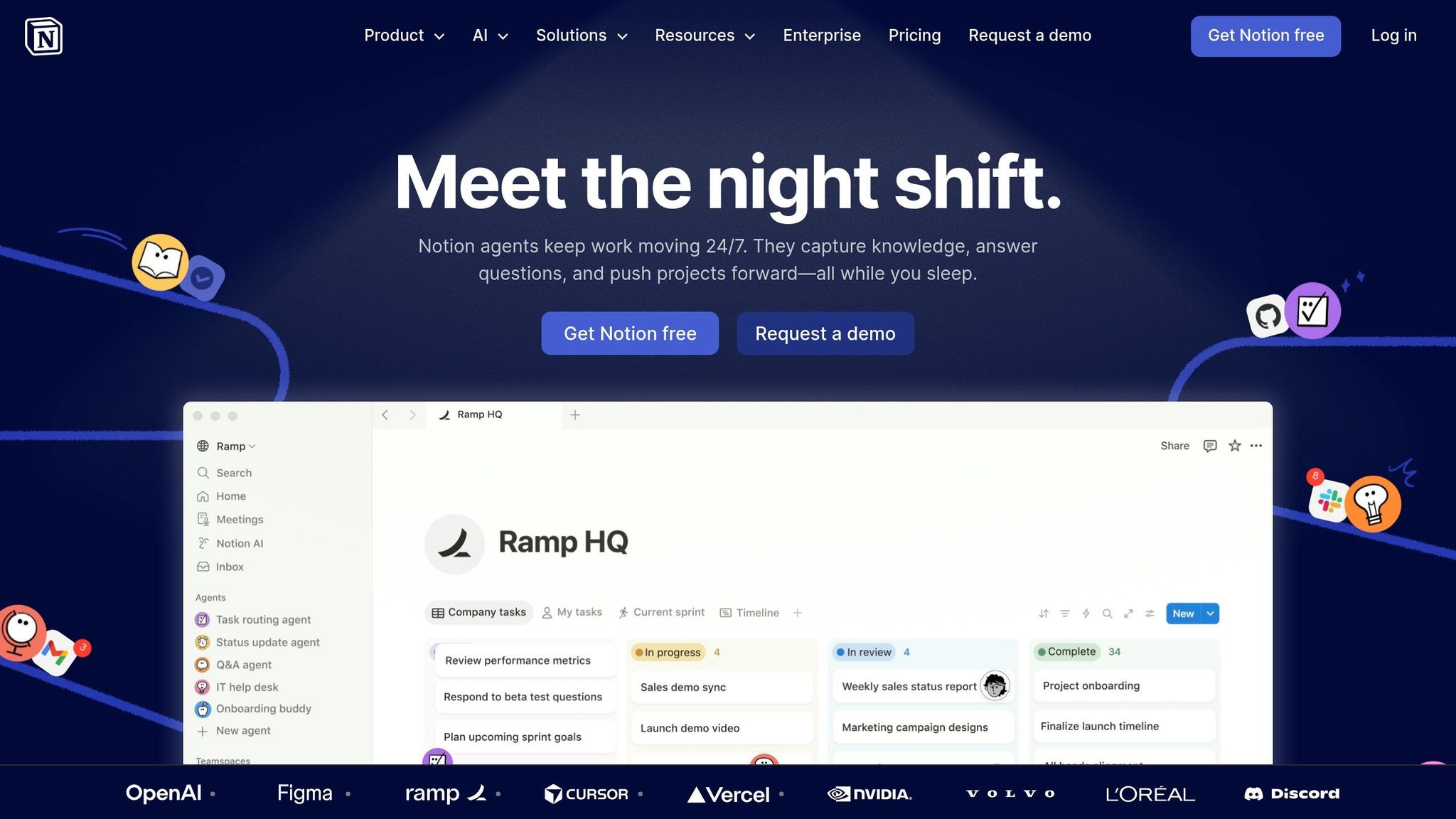
Notion has grown into an all-in-one workspace with over 100 million users worldwide, including 98% of the Forbes Cloud 100 and 62% of the Fortune 100 companies [23]. For coaches and consultants, it acts as a centralized hub, combining client management, content creation, and AI automation. This seamless integration simplifies workflows and enhances efficiency.
AI and Automation Capabilities
With the release of Notion 3.0, the platform introduced autonomous AI Agents to tackle repetitive tasks. These agents handle everything from sorting client feedback to automating weekly reports [23]. The Q&A feature allows users to query their database instantly. For example, you can ask, "What challenges did this client face in the last three sessions?" and get a concise summary to streamline session prep [18].
AI Meeting Notes automatically transcribe and summarize calls from Zoom or Google Meet, linking insights directly to client records [18]. For more advanced needs, Custom Agents are available at $10 per 1,000 credits, running continuous background automations to manage complex workflows [24]. Coaches leveraging Notion's AI tools report a return on investment of 113×, thanks to the time saved compared to the subscription cost [18].
Features Tailored for Coaches and Consultants
Notion functions as a Client Command Center, enabling you to track session history, goal progress, payment status, and milestones through customizable databases [18]. You can also design branded client portals where clients can access session notes, assignments, and resources like ebooks or videos [25].
The platform includes tools like Kanban boards to manage your sales pipeline and gallery views to showcase portfolios or case studies to prospective clients [25]. Beyond client management, Notion allows you to publish landing pages for lead magnets, create feedback forms, and plan social media content - all within the same workspace [40,41]. Notion AI even transforms meeting notes into LinkedIn posts or newsletter drafts while maintaining client confidentiality, saving approximately 3 hours weekly on content creation [18].
"There's power in a single platform where you can do all your work out of. Notion is that single place."
- Nick Erdenberger, GTM, OpenAI [24]
Pricing and Affordability
Notion offers four pricing tiers to accommodate various needs:
- Free plan ($0): Includes trial AI features, Notion Calendar, and basic databases - perfect for getting started.
- Plus plan ($10 per member per month, billed annually): Adds unlimited file uploads and custom branding-free sites.
- Business plan ($20 per member per month, billed annually): Ideal for coaches, unlocking full AI Agents, AI Meeting Notes, and private teamspaces [24].
- Enterprise plan: Custom pricing with advanced security and no data retention for AI models [24].
Additionally, students and educators can access the Plus plan for free with a qualifying school email [39,42].
Impact on Personal Branding and Client Acquisition
Notion's ability to centralize tasks not only boosts productivity but also strengthens your personal brand. By integrating its AI stack, coaches can save over 10 hours weekly by automating administrative tasks [18]. Session preparation time drops from 4–5 hours to just 1 hour, while content creation shrinks from 4–5 hours to 1–2 hours [18].
With tools like Notion Sites, you can publish professional public websites featuring custom domains, SEO metadata, and Google Analytics - all within the platform [39,42]. By consolidating client management, content creation, and marketing, Notion helps maintain a consistent personal brand while cutting down on subscription costs for multiple tools.
Pricing and Features Comparison
Finding the right tool is all about weighing costs against the features you truly need. Here’s a quick look at the pricing options and standout features of some popular tools.
In 2026, pricing ranges from free plans to premium subscriptions. For instance, Canva provides a solid free version, while its paid plans include advanced features like the Brand Kit [4]. ChatGPT and Grammarly also offer free versions for basic tasks, with premium tiers that unlock enhanced AI-driven writing tools. Evernote, known for its note-taking capabilities, has a free plan too, though many users upgrade for perks like unlimited device syncing.
Brandbase takes a different approach with tailored pricing: starting at $18 per month plus a $499 setup fee for a custom landing page. For $99 per month, you get AI assistance and media placements, while its $499 per month plan includes unlimited landing pages, personalized LinkedIn campaigns, and SEO blog content.
Notion, on the other hand, caters to client management needs with a free basic version. Its Business plan, priced at $20 per member per month, unlocks more advanced productivity tools.
The pricing for these tools reflects their focus on simplifying tasks like content creation, client management, and design work. To choose wisely, think about where you face the biggest challenges. Are you struggling with content creation? Managing clients? Or designing materials? Avoid paying for features you don’t need [4].
One smart strategy is combining free plans for general tasks with one or two paid tools that target your primary needs. For example, pairing Canva’s design tools with Notion’s client management features can cover your bases for branding and organization - without stretching your budget.
Experiment with free versions to see what works best for you. Many coaches find that investing in tools that match their personal style and voice delivers better results over time than relying on generic content generators [4].
Conclusion
Building a strong personal brand in 2026 doesn’t have to take over your life. With the right AI-powered tools, you can tackle the heavy lifting - like brainstorming ideas, drafting content, designing visuals, and scheduling posts - so you can focus on what you do best: coaching and consulting [1].
By 2026, 75% of top coaching businesses will use AI co-pilots, and 45% of coaches report that AI enhances their role rather than replacing it [26]. These tools don’t just save time - they let you focus on your expertise by cutting down on admin tasks and helping you show up where your ideal clients are looking.
The key is to match the right tools to your specific needs. If writing posts eats up too much time, look for tools with persistent voice memory. If managing client schedules feels overwhelming, choose solutions that simplify scheduling and documentation. Start small - invest in one or two paid tools to address your biggest pain points, and then add free versions for less critical tasks.
Take advantage of free trials to test tools for a week and see how much time they save or how they improve your content. With the coaching industry expected to hit $5.8 billion by 2026 [26], those who embrace these tools early will have a clear edge in a crowded market. Your online presence is like your currency - make sure it showcases your expertise and individuality.
FAQs
Which 1–2 tools should I start with?
Getting started with Brandbase for all-encompassing, hassle-free branding services and InVideo AI for automated content creation is a savvy move. These tools offer robust features designed to help you build and promote your personal brand with ease, saving you time and effort. Specifically designed for coaches and consultants, they simplify branding and marketing, making the entire process more efficient.
How do I keep my brand voice consistent with AI?
To keep your brand voice consistent using AI, rely on tools specifically designed to mirror and uphold your tone across various platforms. By 2026, advanced AI systems can study your existing content, understand your style, and produce outputs that match your brand's personality. These tools make it easier to maintain uniform messaging while simplifying the process of creating content at scale.
What’s the best low-budget tool stack?
If you're looking to build your personal brand without breaking the bank, two affordable tools stand out in 2026:
- Canva Pro: Priced at just $14.99/month, Canva Pro is perfect for designing professional-quality visuals. Whether you need social media posts, presentations, or infographics, this tool makes it easy to create eye-catching designs, even if you're not a graphic designer.
- Hootsuite: Starting at $99/month, Hootsuite helps you manage your social media presence and track performance analytics. With its AI-powered features, you can schedule posts, monitor engagement, and analyze results - all in one place.
These tools provide cost-effective solutions to streamline your branding efforts while keeping your budget intact.
Related Blog Posts

Blog title heading will go here
Blog title heading will go here